There are gaming devices that quietly launch, and then there are devices that spark debate across the entire gaming community. The PlayStation Portal falls firmly into the second category. From the moment it was announced, gamers started asking one question: is it really necessary, or just another accessory?
At first glance, the PlayStation Portal looks like a handheld console revival. But in reality, it’s something more specific and a little more controversial. It is designed to stream your PS5 games over Wi-Fi, rather than run them natively. That one design decision has shaped every opinion about it.
In this detailed PlayStation Portal review, we’ll break down everything you need to know—performance, usability, strengths, weaknesses, and whether it actually deserves a place in your gaming setup.
What Is the PlayStation Portal?
The PlayStation Portal is a remote play handheld device designed by PlayStation Portal Remote Player. It is not a traditional console. Instead, it acts as a dedicated screen and controller that connects to your PlayStation 5 via Wi-Fi.
In simple terms, the PlayStation Portal lets you play your PS5 games on a handheld screen without needing your TV. However, it does not run games independently, which is an important distinction.
This device is built around the idea of convenience. You’re not replacing your PS5—you’re extending it.
Design and Build Quality
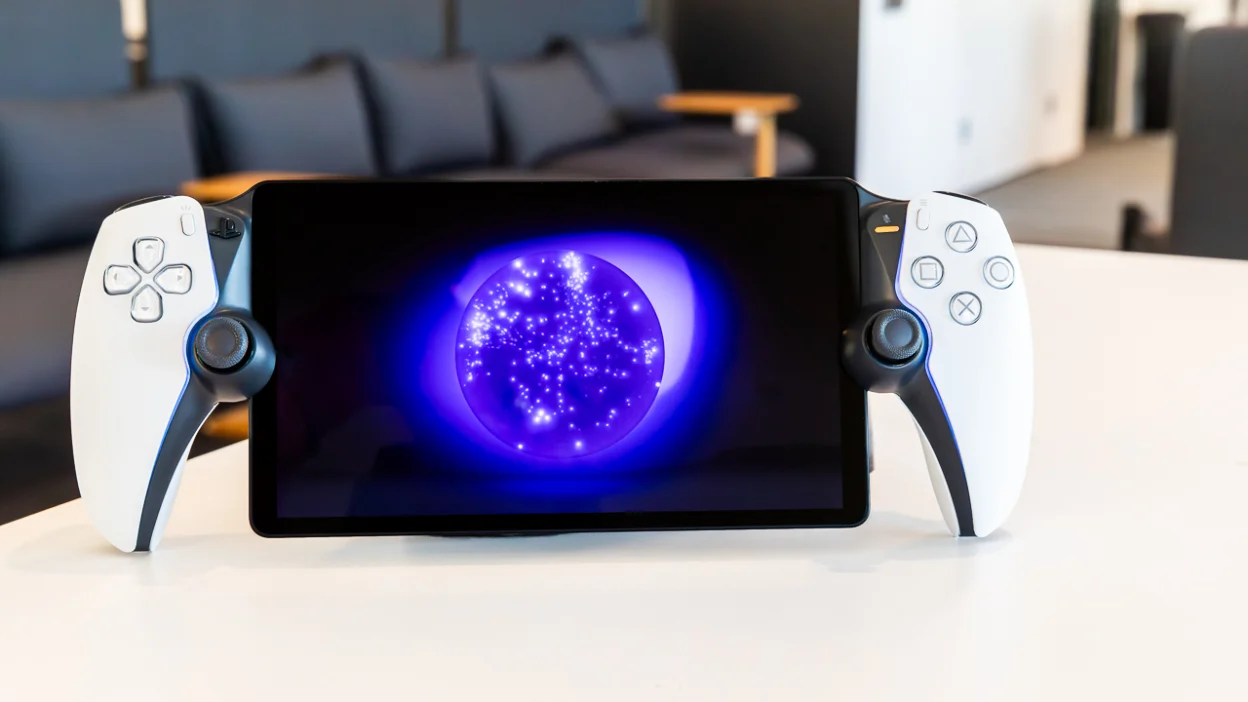
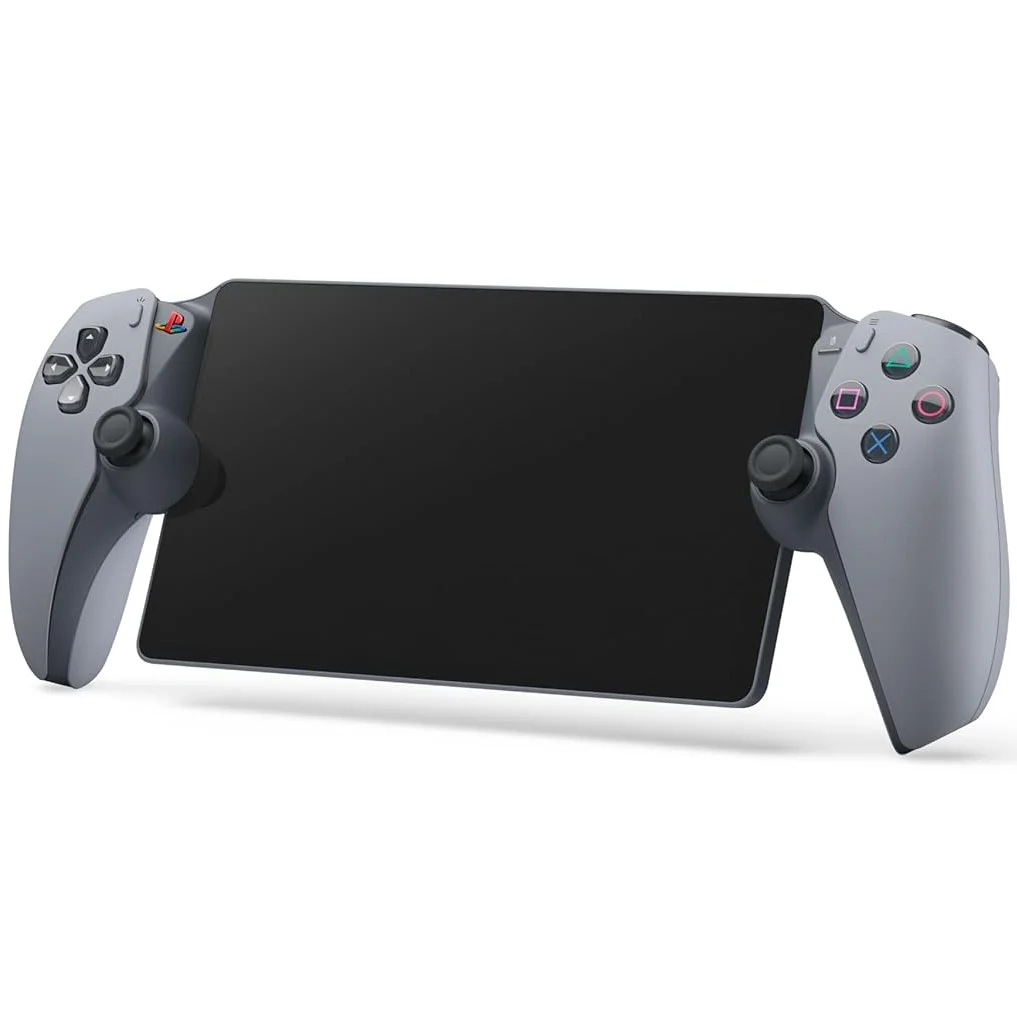
One of the first things you notice about the PlayStation Portal is how familiar it feels. It looks like someone split a DualSense controller in half and placed an 8-inch screen in the middle.
Key Design Highlights
- Premium feel with DualSense-style grips
- Lightweight compared to full handheld consoles
- Comfortable for long gaming sessions
- Large central LCD display
- Clean and minimal Sony aesthetic
The PlayStation Portal doesn’t try to reinvent the wheel. Instead, it borrows heavily from the PS5 controller design, which is actually a smart move. If you already use a DualSense, the transition feels natural.
However, some users may find it bulky compared to cloud gaming devices or smartphones. Still, comfort during gameplay is surprisingly good.
Display Quality and Visual Experience
The PlayStation Portal features an 8-inch LCD screen with 1080p resolution at 60fps support. While it is not OLED, the display still delivers solid clarity and brightness for most indoor gaming environments.
Real-World Viewing Experience
When testing the PlayStation Portal with action-heavy games, the visuals remain smooth as long as your Wi-Fi connection is stable. Colors are decent, though not as vibrant as premium handheld gaming devices.
The screen performs best in:
- Indoor lighting conditions
- Stable Wi-Fi environments
- Medium to high brightness settings
However, if you expect handheld-level HDR or OLED contrast, you may feel slightly underwhelmed.
Performance and Remote Play Experience
This is where opinions about the PlayStation Portal really divide.
The device relies entirely on PS5 Remote Play technology. That means your gaming performance depends heavily on your network quality and console connection.
What Works Well
- Smooth gameplay on strong Wi-Fi
- Low input delay in ideal conditions
- Stable 60fps streaming for most PS5 titles
- Quick connection to your console
Where It Struggles
- Lag on weak or unstable Wi-Fi
- No offline gameplay support
- Dependent on home network setup
- Occasional frame drops in busy networks
In ideal conditions, the PlayStation Portal feels almost like playing natively. But in less stable environments, the experience can quickly become frustrating.
Controls and Gameplay Feel
One of the strongest aspects of the PlayStation Portal is its control system. Sony has integrated the full DualSense experience into the device.
Features Include:
- Adaptive triggers
- Haptic feedback
- Responsive analog sticks
- Familiar button layout
This is where the PlayStation Portal stands out compared to mobile remote play. The tactile feedback adds depth to gameplay, especially in racing or action games.
For example, in shooting games, trigger resistance adds realism. In racing games, vibration feedback enhances immersion.
Battery Life and Portability
The PlayStation Portal offers moderate battery life, typically lasting several hours depending on usage intensity.
Battery Experience Summary
- Around 6–9 hours on average usage
- Faster drain during intense gaming sessions
- USB-C charging support
- No fast-charging breakthrough technology
While it is portable, it is not designed for long travel sessions without charging access. This is something potential buyers should seriously consider.
The PlayStation Portal is best used within your home or stable Wi-Fi environment rather than as a true on-the-go handheld.
Internet Dependency: The Biggest Limitation
If there is one aspect that defines the PlayStation Portal experience, it is dependency on internet quality.
To use the PlayStation Portal effectively, you need:
- A PS5 console
- Strong home Wi-Fi connection
- Stable network bandwidth
Without these, performance drops significantly.
This limitation makes the PlayStation Portal less of a standalone device and more of a secondary PS5 extension.
Who Should Buy the PlayStation Portal?
The PlayStation Portal is not for everyone. It is designed for a very specific type of gamer.
Ideal Users
- PS5 owners who share a TV
- Gamers who prefer handheld convenience at home
- Users with strong Wi-Fi networks
- People who enjoy Remote Play already
Not Ideal For
- Gamers looking for a standalone console
- Frequent travelers expecting offline play
- Users with weak internet connections
- Competitive players requiring zero latency
Understanding your needs is essential before buying the PlayStation Portal.
Pros and Cons of PlayStation Portal
Pros
- Excellent DualSense integration
- Comfortable and ergonomic design
- Smooth performance on strong Wi-Fi
- Easy setup with PS5
- Large, clear display
Cons
- No offline gameplay
- Fully dependent on PS5 and internet
- No Bluetooth audio support for standard headphones
- Limited standalone functionality
The balance between pros and cons shows that the PlayStation Portal is a niche product, not a universal gaming solution.
PlayStation Portal vs Remote Play on Mobile
Many gamers wonder why they should buy the PlayStation Portal when Remote Play already exists on smartphones.
Here’s the difference:
- PlayStation Portal offers dedicated controls
- Mobile devices require touchscreen or external controllers
- Portal provides better ergonomics
- Mobile offers more flexibility and portability
In short, the PlayStation Portal is about comfort and immersion, while mobile Remote Play is about convenience and accessibility.
Real-World Gaming Experience
Using the PlayStation Portal daily reveals a mixed but interesting experience.
In calm network conditions, it feels surprisingly close to native PS5 gameplay. Story-driven games, RPGs, and casual titles work especially well.
However, competitive multiplayer games expose its limitations. Even slight lag can affect reaction timing.
Still, for relaxing gaming sessions on the couch, bed, or shared spaces, the PlayStation Portal performs its role effectively.
Is the PlayStation Portal Worth Buying?
This is the question most people come back to.
The answer depends entirely on expectations.
If you expect a full handheld console, the PlayStation Portal will disappoint you. But if you view it as a premium PS5 extension, it becomes much more appealing.
The PlayStation Portal is best described as a comfort device rather than a revolutionary one.
Conclusion
The PlayStation Portal is one of the most interesting gaming accessories Sony has released in recent years. It does not replace the PS5, nor does it try to compete with traditional handheld consoles. Instead, it expands how and where you can enjoy your existing games.
As this PlayStation Portal review shows, the device shines when used in the right environment with the right expectations. It delivers smooth gameplay, strong controller integration, and a comfortable handheld experience.
However, its limitations—especially internet dependency—cannot be ignored.
So, is it worth buying? If you already own a PS5 and want a convenient way to play without taking over the TV, the PlayStation Portal makes sense. If not, it may feel like an unnecessary extra.